Walgreens Boots Alliance
Patient Care Portal - 2023-2024
Turning a Tool Pharmacists Were Gaming Into One That Changed Patient Outcomes
Scroll
Walgreens Boots Alliance
Patient Care Portal - 2023-2024
01 Design Philosophy
This project taught me that enterprise healthcare UX isn't about making things look clean. It's about making clinical decisions faster under time pressure. I had to kill my own design instincts - progressive disclosure, whitespace, minimal UI - and redesign around what pharmacists actually needed: density as clarity.
The best design I shipped looked nothing like what I would have put in a portfolio two years earlier. It looked like what worked.
Recruiter TL;DR - 30 seconds14 min read
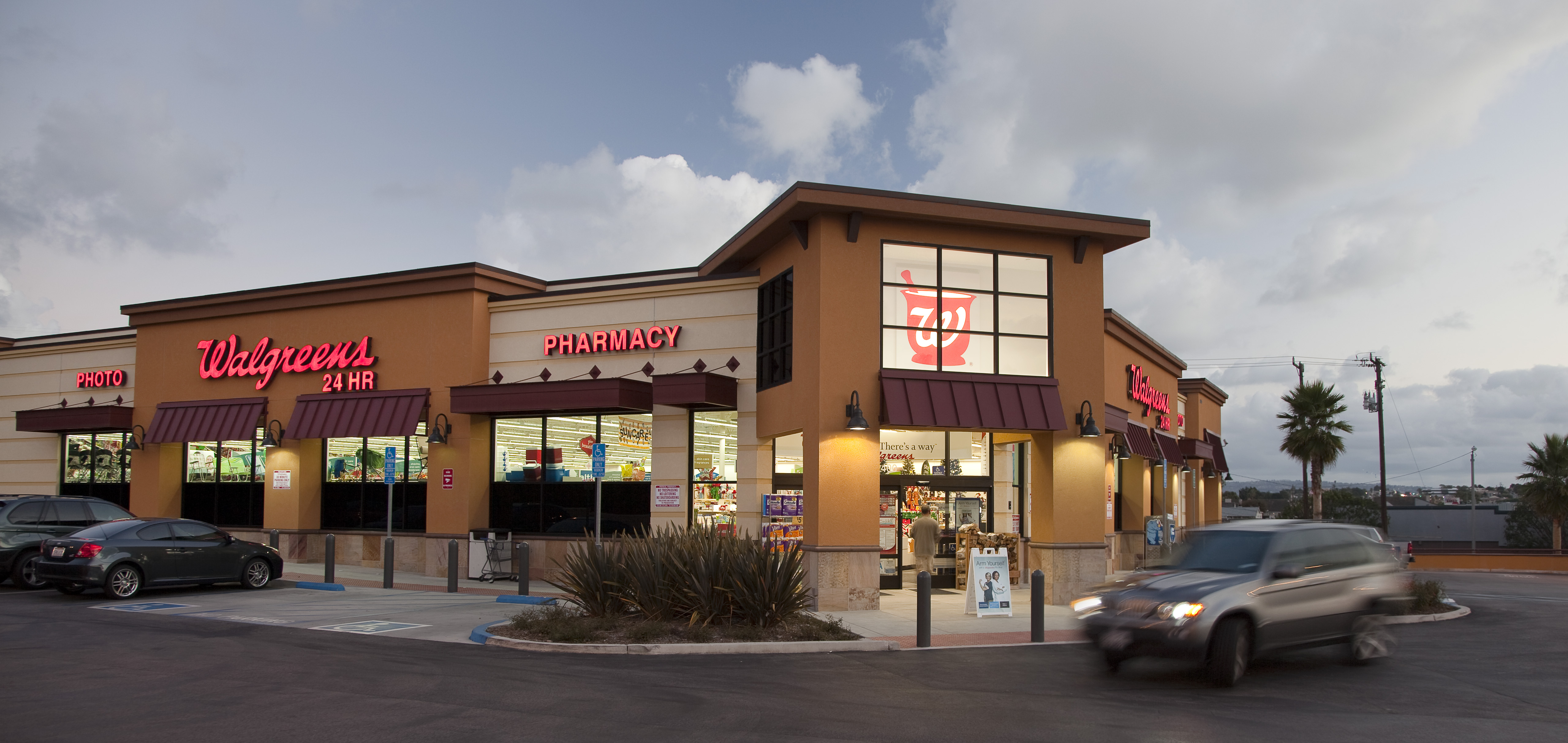
One of 8,500+ locations running Patient Care Portal daily
02 The Problem
The Patient Care Portal was built by engineers with no UX involvement. It worked - technically. But the pharmacists using it had turned it into something unrecognizable.
In-store pharmacists were gaming the system. The tool required so many steps to complete a single patient interaction that pharmacists developed workarounds to hit their metrics without actually helping patients. Call avoidance behaviors. Metric manipulation. The tool was measuring compliance with itself, not patient outcomes.
Call center HOPs built shadow infrastructure. Health Outcomes Pharmacists needed to handle high volumes of outbound calls, but the portal wasn't designed for that workflow. They'd built custom button configurations, ran dual monitors with personal spreadsheets alongside PCP, and developed individual configs that made the tool unrecognizable from desk to desk.
Two user populations. Same tool. Neither was using it as intended. Both had legitimate reasons.
Key Insight
When users build workarounds instead of using your tool, the tool is the problem, not the users. Gaming behaviors were a symptom of a workflow that fought against how pharmacists actually worked.
The Problem Landscape
In-Store Pharmacists
Original PCP
Built without UX
Call Center HOPs
03 The Constraints
These defined every trade-off. They came before the design, not after.
Every screen, every data point, every workflow had to pass HIPAA review. No exceptions, no shortcuts, no "we'll fix it later."
Wrong medication info or incorrect patient data doesn't just look bad - it creates real patient safety risks at pharmacy scale.
In-store pharmacists working between customers and call center HOPs running high-volume outbound campaigns. Same tool, opposite workflows.
No on-site training possible. No dedicated IT support at each store. The design had to be self-explanatory at scale.
Years of workarounds had become "how things are done." Redesigning the tool meant redesigning behavior - carefully.
PCP didn't exist in isolation. It connected to pharmacy management systems, patient databases, and compliance tracking that couldn't be changed.
04 The Team
4-in-the-Box Structure
Me - Senior UX Designer
Patient Care Portal
Reporting to Lead UX Designer
Product Manager
1 PM
Engineering
Dev team
Business Stakeholders
10 stakeholders
SMEs
Pharmacists + HOPs
05 What I Inherited
The original Patient Care Portal required pharmacists to navigate through 10 distinct steps before they could have a single meaningful interaction with a patient. Every step was a point of friction. Every step was a reason to game the system instead of using it.
The 10-Step Workflow - What Pharmacists Endured
Login, find patient, open profile. Three screens deep before a single adherence call.
Step 1
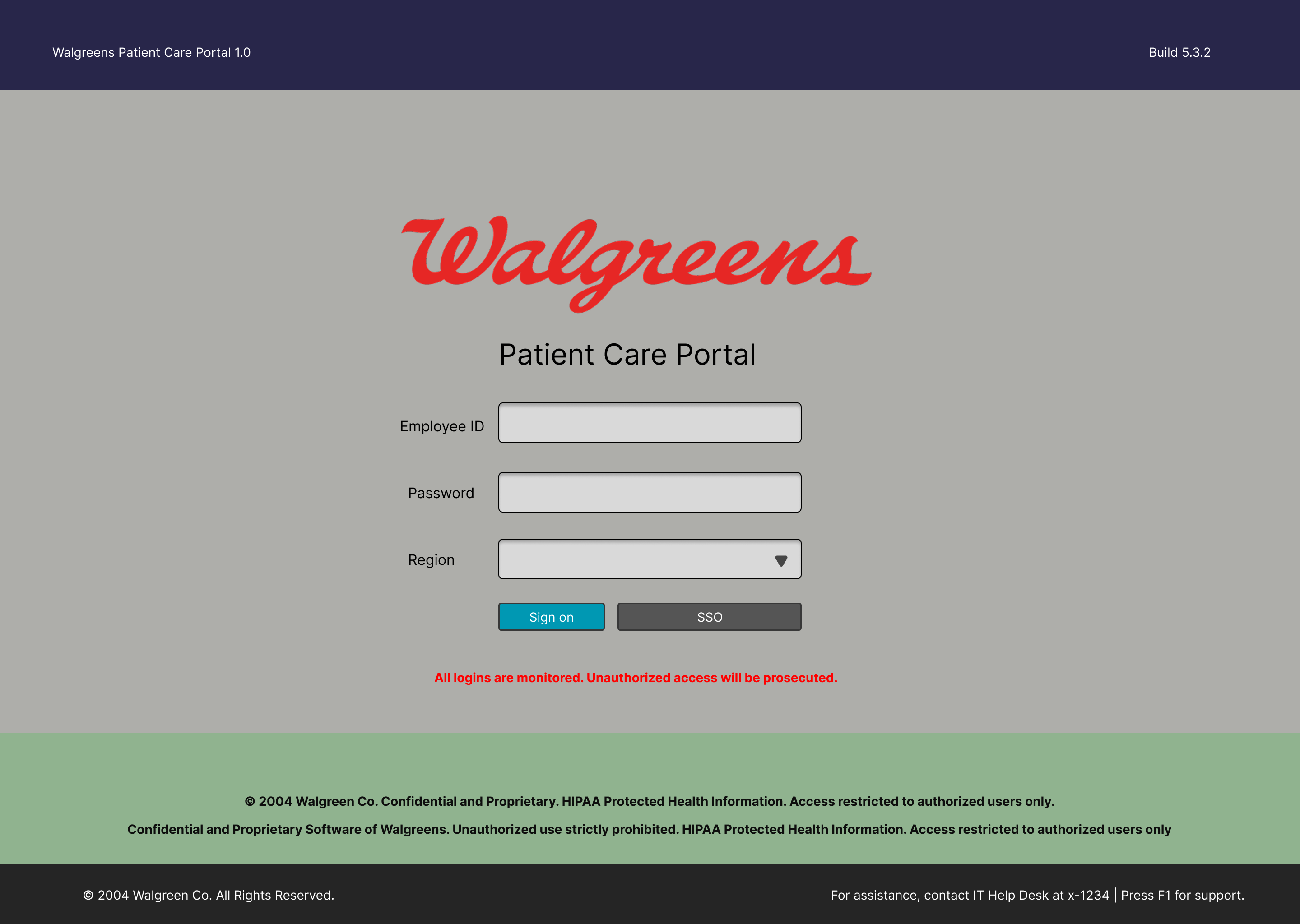
Login
Employee ID, password, region selection. Every session started here before reaching any patient data.
Step 2
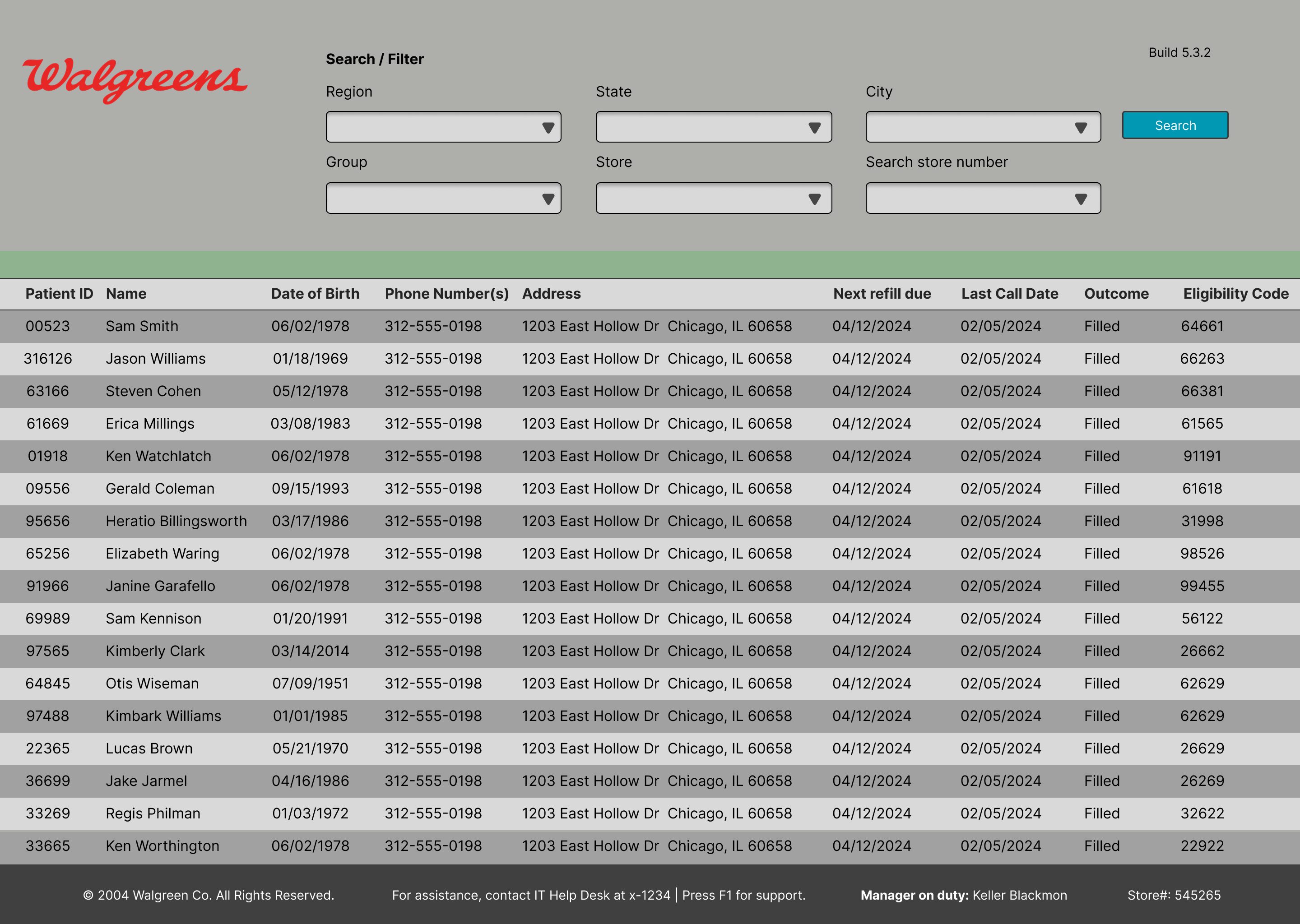
Patient List
A flat table with no prioritization. Pharmacists manually scanned rows to find who to call next during adherence outreach.
Step 3
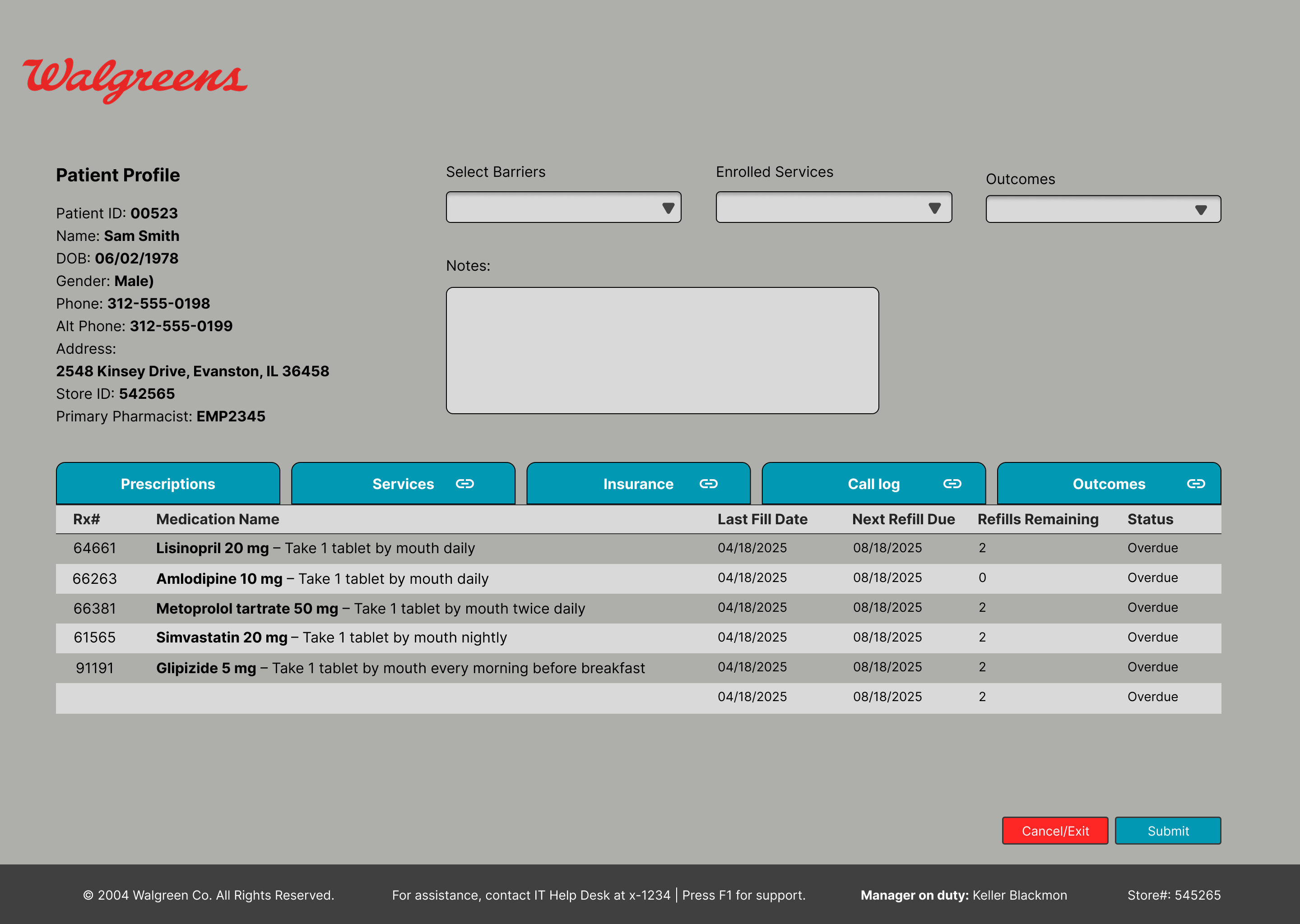
Patient Profile
Medication list buried at the bottom, service selection via dropdowns. Five tabs to cross-reference mid-call to complete one interaction.
Showing 3 of 10+ screens in the original workflow. Click any image to enlarge.
Ten steps before a single word was spoken to a patient.
06 The Redesign
I collapsed the entire workflow down to two steps. Not by removing functionality - by restructuring how information was presented and when actions became available.
The 2-Step Workflow - What Pharmacists Got
Login, store selection, patient search, identity verification, and history review all collapsed into a single view. The system auto-populated context based on the pharmacist's location and the patient interaction. Everything the pharmacist needed to know was visible the moment a patient appeared on screen - no clicking through tabs, no searching, no verifying what the system already knew.
Instead of manually selecting a service type, entering notes, submitting, and logging - the system surfaced relevant services automatically. An intelligent scroller presented the most likely actions based on the patient's medication history, adherence patterns, and open care gaps. The pharmacist chose and confirmed. Done.
Wireframes
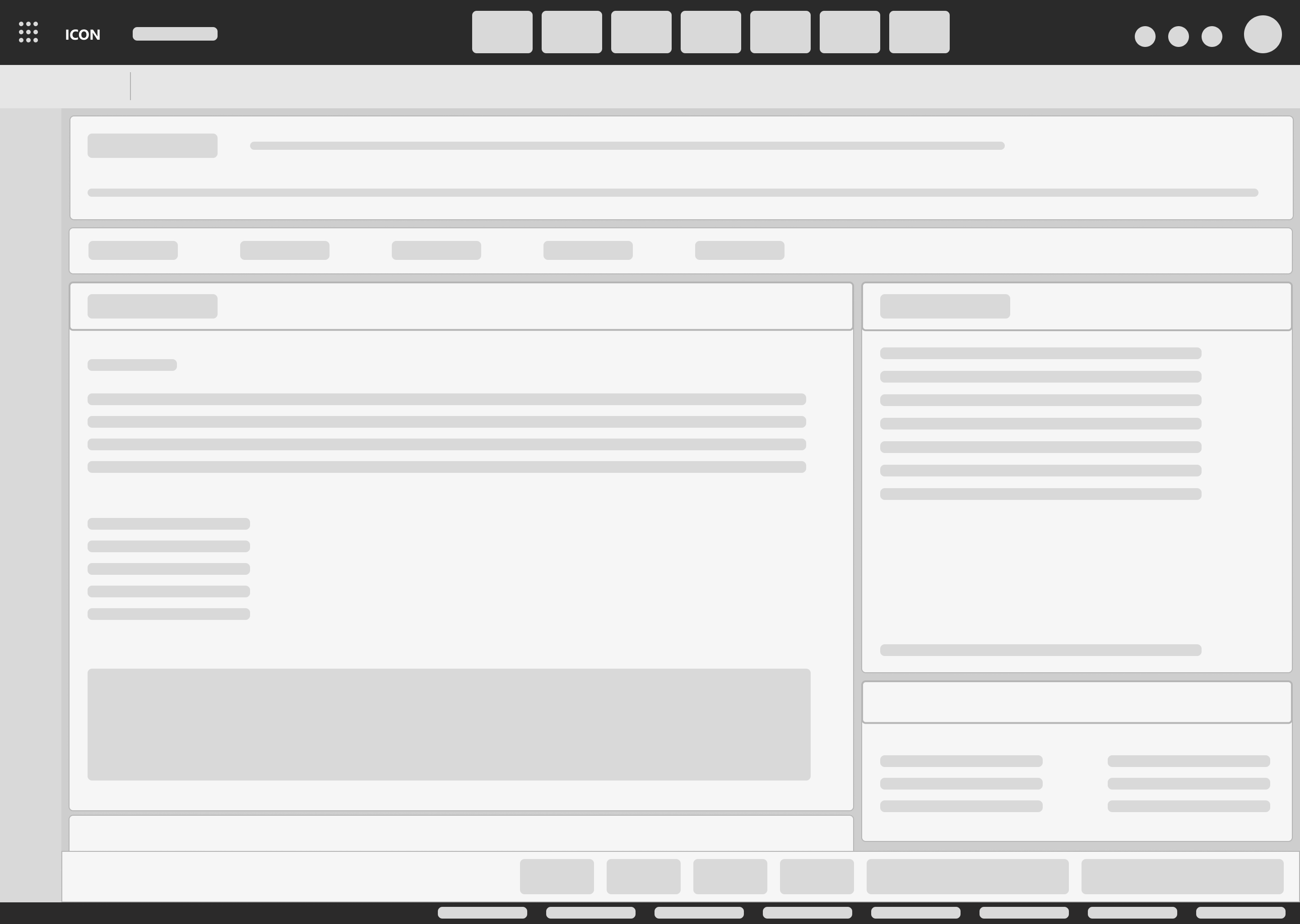
Services View
Two-column layout prioritizing call script and eligible services
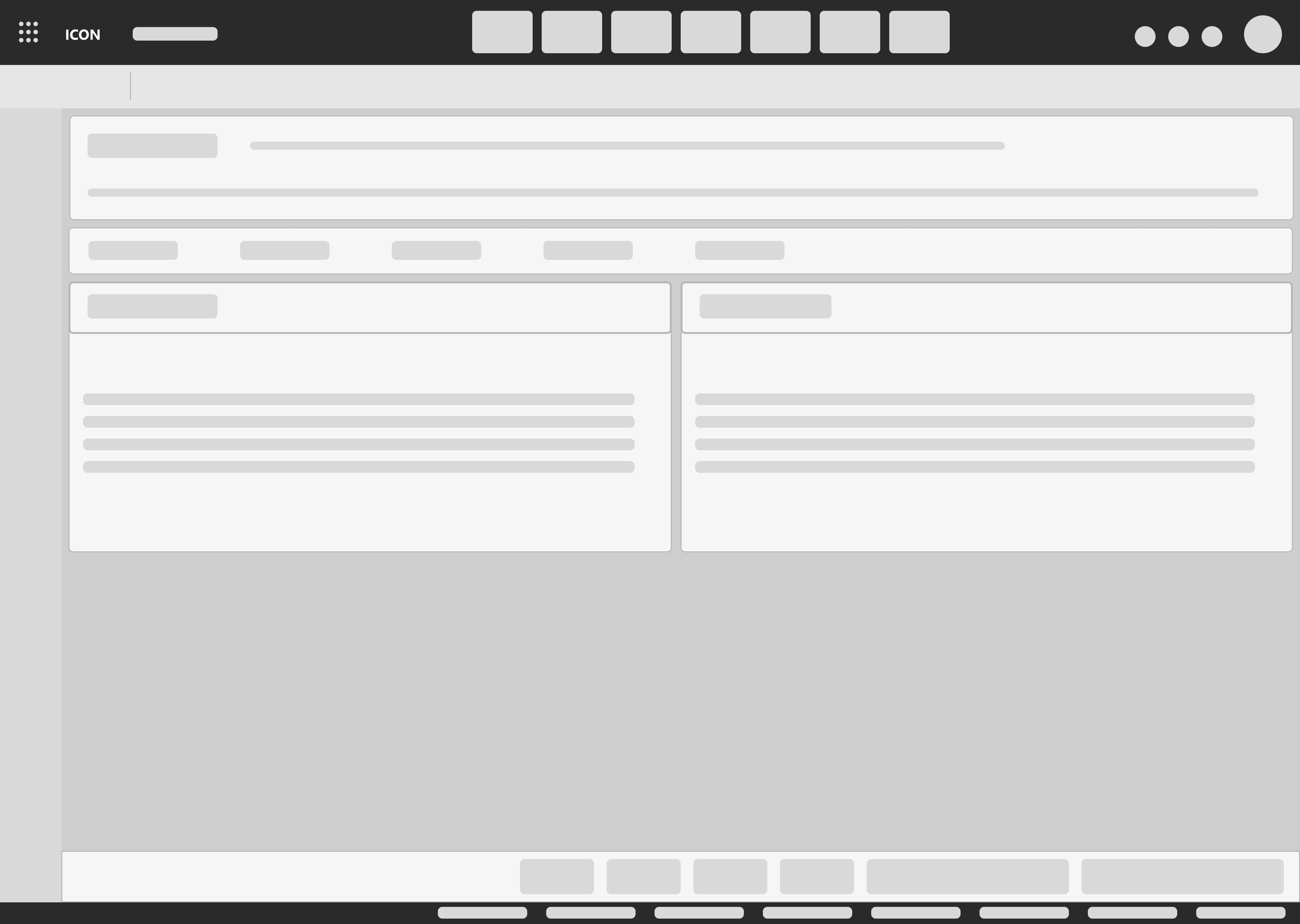
Allergies & Conditions
Side-by-side drug allergies and health conditions for quick reference
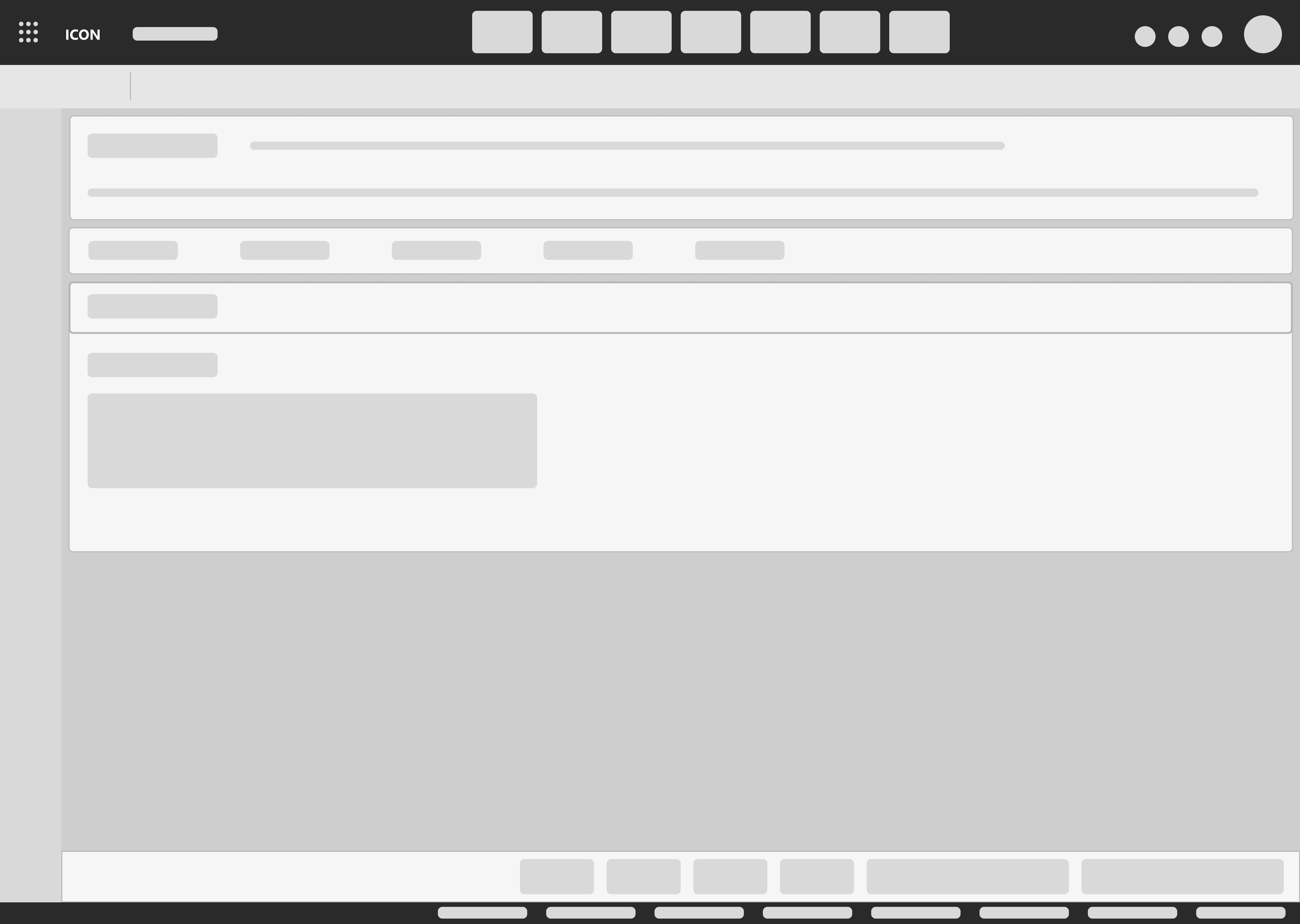
Patient Outcome
Streamlined call disposition to close encounters fast
Click any image to enlarge
Services Scroller - Progressive Disclosure Pattern
90 Day Refill - Lisinopril 10mg
Patient eligible for 90-day supply conversion. Current fill pattern: 30-day. Last fill: 14 days ago. Adherence rate: 78%. Converting to 90-day improves adherence by avg 12% and reduces pharmacy labor per patient.
Save-A-Trip - Sync Eligible Medications
3 medications eligible for synchronization. Current pickup frequency: 4x/month. Potential reduction to 1x/month. Patient has expressed interest in fewer trips previously.
PDC Follow-up - Statin Adherence Gap
Proportion of Days Covered dropped below 80% threshold. Last fill gap: 8 days. Outbound call recommended within 48 hours. Script: adherence counseling protocol B.
Final Screens - Patient360
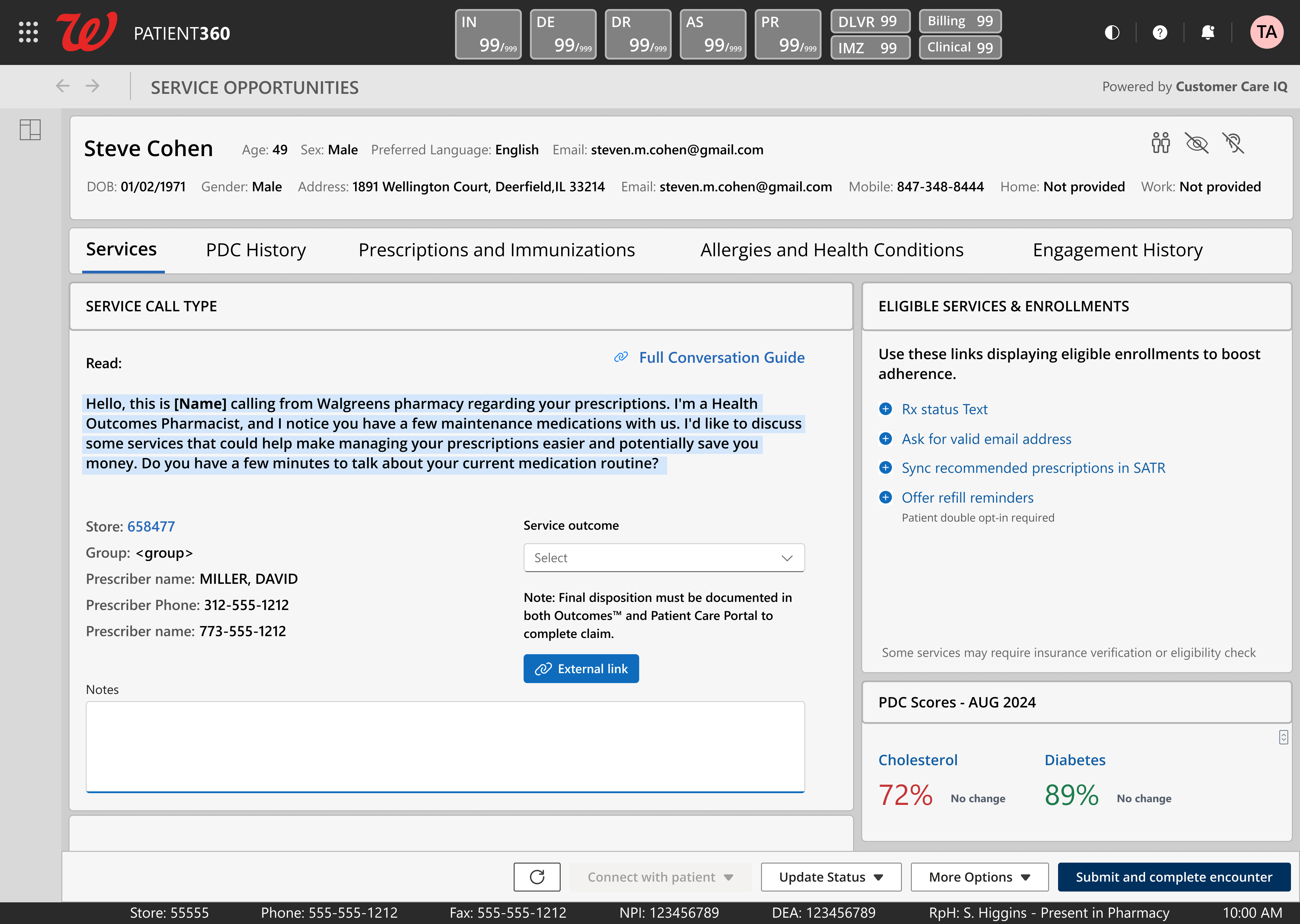
Service Opportunities
Call script, eligible services, PDC scores, and patient context in one view
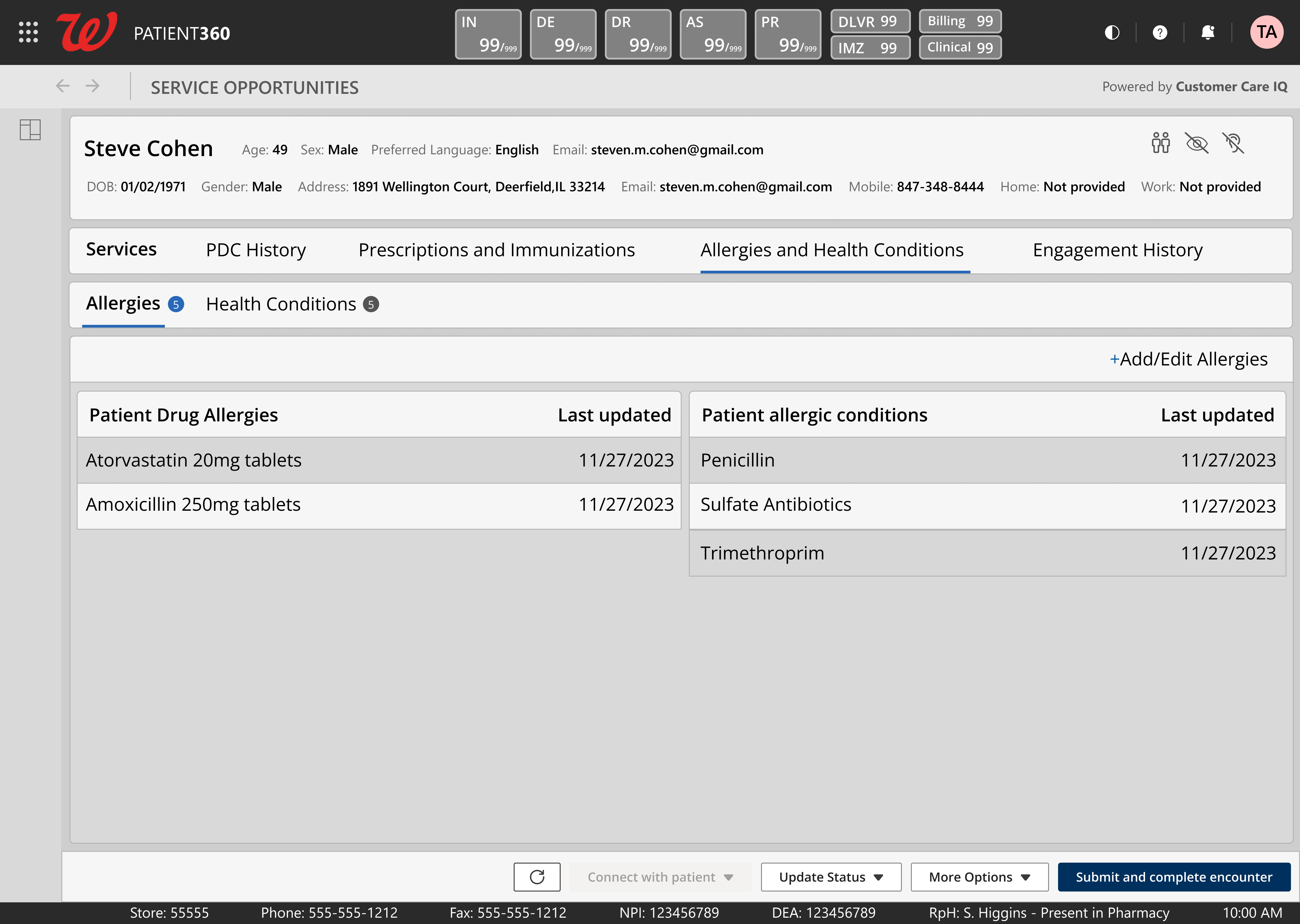
Allergies & Health Conditions
Drug allergies and conditions side-by-side with safety data visible at a glance
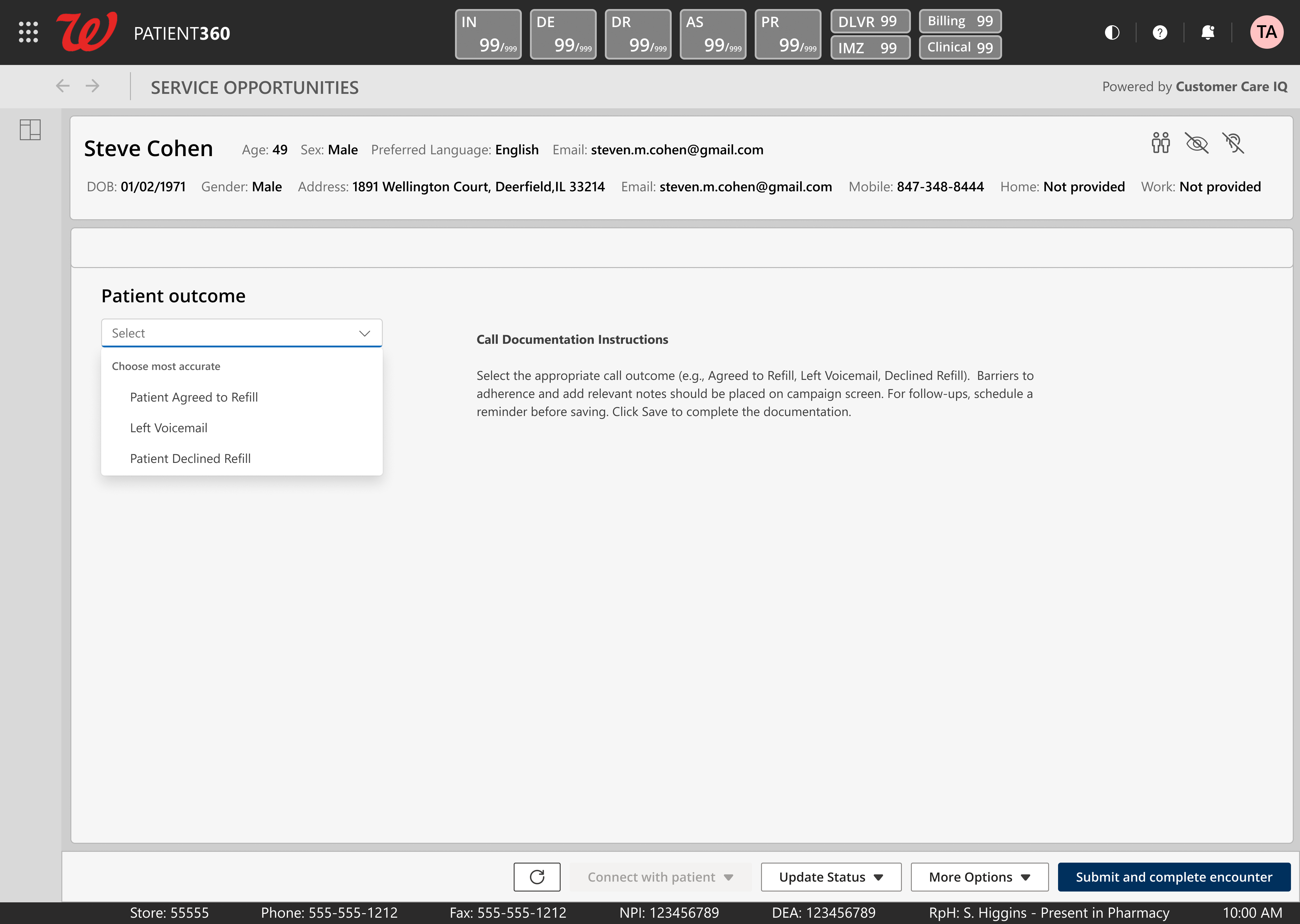
Patient Outcome
Three-option call disposition. Close an encounter in seconds, not minutes.
Click any image to enlarge
07 The Design Decision That Almost Failed
My first redesign was clean. Plenty of whitespace. Progressive disclosure everywhere. Information tucked away behind expandable sections. It was the kind of design that looks great in a portfolio and tests terribly with pharmacists under time pressure.
They hated it. Not because it was ugly - because it was slow. Every collapsed section was a click. Every hidden detail was information they needed visible at a glance. In a pharmacy context, density isn't clutter. Density is clarity.
Design Approach Comparison
Early Exploration
Tested poorly - too many clicks, too slow
Final Design
Matched clinical workflow - adopted immediately
08 Navigating Approval
Walgreens doesn't ship fast. Everything passes through an 8-gate approval chain. The design work was maybe 20% of the timeline. The other 80% was navigating the organization - aligning stakeholders, surviving UAT, creating training materials, getting legal sign-off, and managing phased rollout across thousands of stores.
8-Gate Approval Timeline
Gate 1
Business Stakeholder Alignment
Gate 2
UX/Product Leadership Review
Gate 3
VP of Product Approval
Gate 4
UAT Testing
Gate 5
UAT Corrections
Gate 6
Training Manual Creation
Gate 7
Legal Review
Gate 8
Phased Rollout (50-200 stores)
Design Work
Approval & Rollout
09 The Results
85%
Adoption within six months
30%
Reduction in pharmacist administrative workload
20%
Increase in medication adherence
$55M
Additional operating income generated in the first 12 months
Product Adoption
Pharmacist Administrative Workload
Medication Adherence
Workflow Steps
Gaming behaviors dropped to near zero. When the tool is faster to use correctly than to game, pharmacists stop gaming it. The redesign didn't add compliance enforcement - it removed the incentive to cheat. The workflow became shorter than the workaround.
Skills Demonstrated
Enterprise UX Healthcare/HIPAA Design Systems User Research Stakeholder Management Workflow Optimization Data-Driven Design Accessibility Business Strategy & ROI Thinking10 What Didn't Work
Not everything landed the first time. Some of the hardest lessons came from designs that were technically sound but organizationally wrong.
Early designs optimized for design principles, not reality. My first pass prioritized progressive disclosure and clean aesthetics - principles I'd internalized from years of consumer UX work. Healthcare pharmacists don't want clean. They want fast. The redesign happened after I spent time watching pharmacists use the early prototypes and realized they were fighting the interface, not using it.
Stakeholder translation friction. Ten business stakeholders meant ten different mental models of what PCP should be. Getting alignment wasn't a design problem - it was a communication problem. I learned to present designs in the language of business outcomes, not UX principles.
Phased rollout surfaced problems at scale. What worked in UAT with 50 stores broke in unexpected ways at 200. Network latency, hardware variation, screen resolution differences across pharmacy locations - all things that don't show up in controlled testing.
Iteration Timeline - Key Pivots
Q2 2021
Usability testing failure
Abandoned progressive disclosure model. Shifted to dense, everything-visible layout after pharmacist feedback.
Q4 2021
Stakeholder misalignment
Rebuilt presentation framework around business metrics instead of UX rationale. Started leading with outcomes.
Q2 2022
UAT scale issues
Added responsive breakpoints for older pharmacy hardware. Redesigned data loading for high-latency environments.
Q1 2023
Call center workflow gap
Created dedicated HOP view mode. Same data, different density and interaction patterns for high-volume call workflows.
11 What I Learned
Small UX decisions create massive fiscal impact at enterprise scale.
When your tool is used across 8,500+ locations, every second you save per interaction compounds. Reducing a 10-step workflow to two steps helped more than 30,000 pharmacists and pharmacy technicians reach approximately 40 million people while reducing administrative workload.
Navigating complex approval isn't overhead - it's the job. At Walgreens scale, the 8-gate approval chain exists for good reasons. HIPAA, patient safety, legal liability. Learning to work within those constraints - not around them - was the skill that actually shipped the product. The design was done months before it reached patients. The organizational navigation is what got it there.
Tying design to business outcomes changes every conversation. When I connected design decisions to operating income, medication adherence, adoption, and administrative-workload reduction, the business case became the design case.
Key Insight
Design fluency is not enough at enterprise scale. The ability to translate design decisions into business language is what separates designers who make things from designers who ship things.
12 Artifacts Index
For serious evaluators who want to go deeper:
Tabari Seward
Senior Product Designer specializing in enterprise healthcare, complex workflows, and data-driven design systems. Turning messy, high-stakes tools into things people actually want to use.
